Library card in the Studentbevis/Student ID+ app.
In addition to being able to use the Access card as Your Library card, students may also find a digital Library card in the Studentbevis/Student ID+ app.
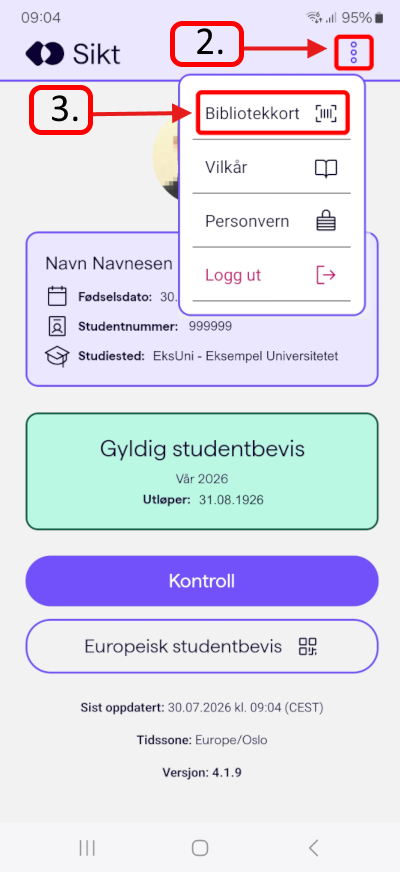
This is how you find the Library card in the app:
- Open the Studentbevis / Student ID+ app.
- If you have not logged inn to the app, log in using Feide.
- Click on the Three vertical dots in the upper, right corner.
- Choose "Bibliotekkort" from the menu.
Published Aug. 17, 2026 12:52 PM
- Last modified Aug. 17, 2026 1:29 PM